- Apr 10, 2025
IndiGo is one of travellers' most preferred airlines for multiple reasons, one of the most prominent being its seamless, time-efficient online check-in facility. It is undeniably the best airline for web check-in in India, allowing passengers to complete the check-in process effortlessly and embark on their journey conveniently. Read ahead to dig deep into IndiGo Airlines' online check-in facility and understand all its key details, including the correct procedure, benefits, guidelines, and more.
What is Web Check-in?
Web check-in, also called online check-in, is the process of completing the check-in procedure on the airline's website or mobile app. The web check-in makes this process effortless and manageable, saving time and avoiding long queues at the airport check-in counters.
Benefits of IndiGo Web Check-in
IndiGo offers various methods for passengers to check in, so why should you prefer the online option? This question might have crossed your mind. IndiGo Airlines web check-in offers multiple advantages that make it easier for flyers to manage the various steps involved in the process more efficiently and time-effectively. Here are the benefits it provides:
- Saves Time: You no longer have to stand in the long queues at the check-in counter at the airport for the check-in procedure. You are required to enter your booking details on the IndiGo website or app to begin web check-in.
- Convenient Procedure: Passengers can complete online check-in via the airline's app or website, making the process quick and easy. Moreover, you can select the desired seats and obtain your e-boarding pass through this process.
- Quick Airport Processing: Completing the check-in process online saves you time at the airport, as you only need to go through the baggage drop centre and security check-in to board your flight.
Web Check-in Timings for IndiGo
- Domestic Flights: Web check-in is available from 48 hours to 60 minutes before departure.
- International Flights: Passengers can check in online at least 24 hours before departure and up to 75 minutes before departure.
Step-by-Step Guide to IndiGo Web Check-in
Learning the accurate web check-in procedure is essential to ensuring seamless online check-in for your flight and avoiding hassle. IndiGo's web check-in process is highly user-friendly and instantly responsive, making it easier to understand and enabling you to complete the procedure efficiently. Follow the steps below to learn how to check in online with IndiGo:
- To begin, visit the official IndiGo website at www.goindigo.in.
- Click the "Check-in" tab from the menu at the top of the home page.
- Enter the passenger's "PNR/Booking Reference" and "Email/Last Name."
- Press the "Check-in" button to access your existing flight bookings.
- Follow the prompts and enter the requested details to finish the web check-in.
What to Do After Web Check-in?
Once you have completed the web check-in, you are required to follow a few steps to proceed with boarding. Complete the IndiGo web check-in, and download or print the boarding pass. After obtaining your boarding passes, visit the baggage drop counter if you have checked luggage, then proceed to security check-in. Once you clear security, you will need to go to your assigned boarding gate.
Modifying or Cancelling After Web Check-in
IndiGo Airlines allows passengers to modify and cancel their existing flight bookings even after the web check-in. You must request these changes up to 3 hours before a domestic flight departure and up to 4 hours before an international flight departure. Please note that you must contact the airline's support team to cancel or modify your flight after web check-in.
IndiGo Web Check-in Rules & Deadlines
- Passengers can check in online for their domestic flights at least 48 hours before departure and up to 60 minutes before departure.
- For international flights, web check-in is available from 24 hours prior to departure up to 75 minutes before departure.
- Selected travellers, such as unaccompanied minors, disabled individuals, and those travelling with infants, are ineligible for web check-in.
- You can complete the online check-in on the IndiGo website or in the app. You can download your e-boarding passes or print them.
- The airline offers the "Schedule Check-in" feature, which lets you receive your boarding pass instantly via your registered email or WhatsApp.
Common Web Check-in Issues and How to Solve Them
- Technical Malfunction: Passengers often encounter technical issues, such as device or browser glitches, that can cause inconvenience during web check-in. Make sure that you are using a compatible device for IndiGo web check-in, and do not use a faulty browser. Also, check the stability of your internet connection.
- Information Errors: There may be instances when flyers enter incorrect or outdated details, which makes it challenging to check in online. Always check that the "PNR Number/Booking Reference" and "Email/Last Name" you are entering are up-to-date and match the information you provided to the airlines.
- Guidelines Breach: Please review IndiGo Airlines' web check-in guidelines to learn their operating hours for the selected flight type. Adhere to the airline's rules and regulations and do not exceed the time limits to ensure you can seamlessly complete the online check-in procedure.
Tips for Smooth Web Check-in
- Please adhere to IndiGo's web check-in availability hours and prefer to check in as early as possible.
- Complete the online check-in on IndiGo Airlines' official website (www.goindigo.in) or app.
- Be prepared with the necessary details, such as the PNR and email, for a hassle-free check-in.
- Make sure to select your desired seats during online check-in to ensure a comfortable flight.
- Do not forget to download your e-boarding passes and take a printout for hassle-free boarding.
Conclusion:
IndiGo Airlines is one of those few airlines that provides an efficient and advanced web check-in facility. The above passage explicitly explains how to use the online IndiGo flight check-in method and covers its key components, including advantages, tips for smooth processing, rules and regulations, and more. Once you go through this article, processing the online check-in with the airline will not be an issue at all.
Frequently Asked Questions About IndiGo Web Check-in
Q1. Is web check-in mandatory for IndiGo flights?
A. IndiGo Airlines does not mandate that passengers check in for their flights online. However, IndiGo web check-in ensures a smoother and hassle-free experience.
Q2. Can I web check-in for group bookings?
A. Group bookings are allowed to check in online on IndiGo. However, certain restrictions may apply based on the size of the group. Please contact their customer support for further inquiries.
Q3. Can I change my seat after web check-in?
A. Yes, you can change your seat after web check-in. Please note that IndiGo seat selection, change, and confirmation are subject to the seat availability of the selected flight.
Q4. What if I forget to carry a printed boarding pass?
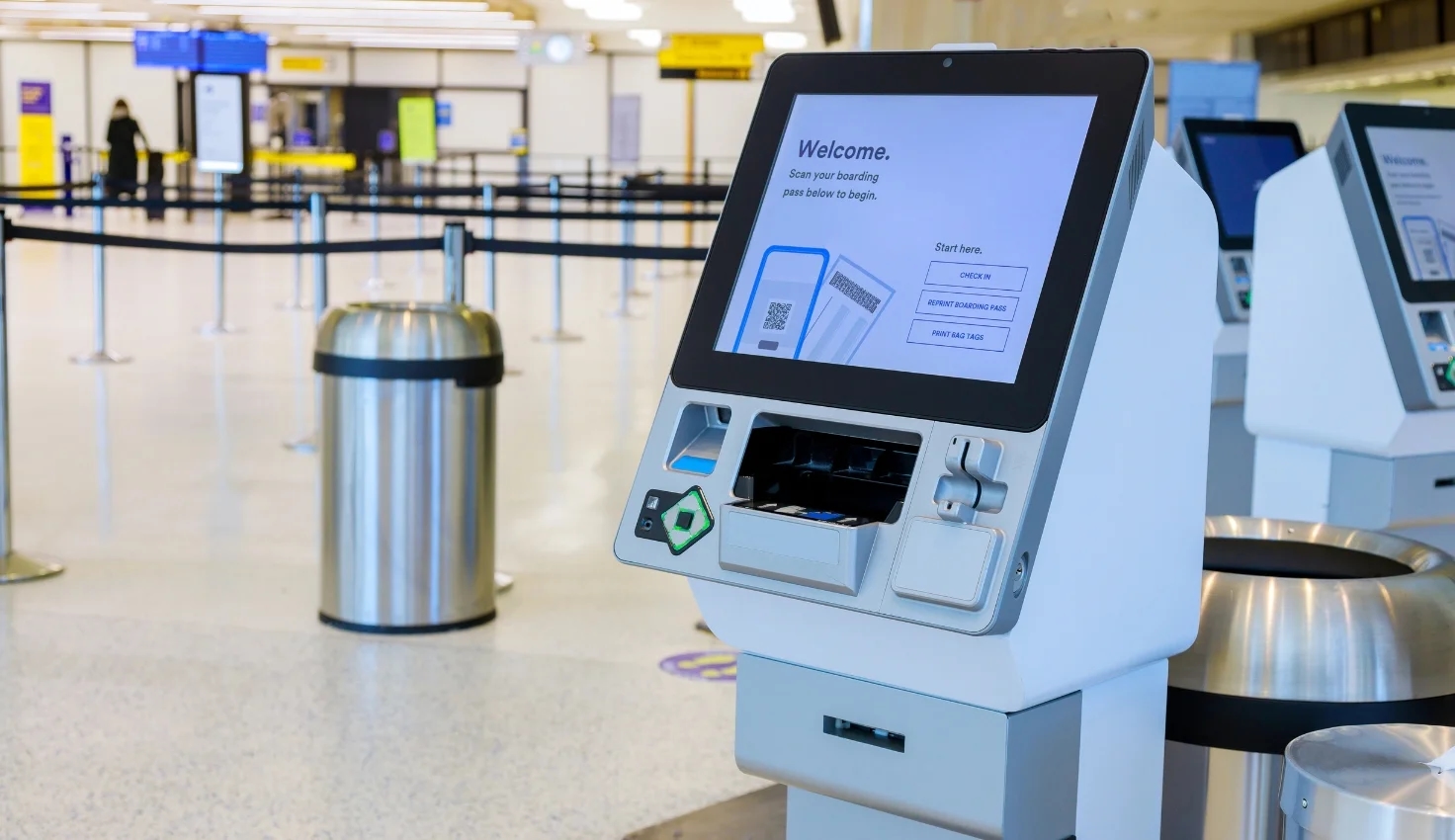
A. If you forgot to carry a printed boarding pass, you can present your e-boarding pass obtained via web check-in. You can take the printout of the IndiGo boarding pass at the self-service kiosk or check-in counter at the airport.
Q5. What happens if I miss web check-in?
A. In case you missed check-in online for your IndiGo flight, you can alternatively visit the airport check-in counter or self-service kiosk for check-in.
Q6. Is web check-in available for international flights?
A. IndiGo Airlines allows passengers to check in online for their international flights from 24 hours to 75 minutes before departure.
Q7. Can I check baggage after web check-in?
A. Yes, you can check your baggage after completing the web check-in. Please visit the designated baggage drop counter to check in your bags.
Q8. How early can I check in on IndiGo's website?
A. The web check-in operates 48 hours to 60 minutes before domestic flight departures. IndiGo web check-in time for international flights is 24 hours to 75 minutes before departure.
Q9. How does web check-in work for unaccompanied minors?
A. Unaccompanied minors are not eligible for the IndiGo mobile check-in. Instead, they must visit the airport check-in counter to complete this process.
Q10. What if I miss the web check-in deadlines?
A. You can use other check-in methods if you exceed the web check-in operating hours. If you miss the IndiGo check-in deadline, you can visit the airport check-in counter or the self-service kiosk.
Q11. Can I cancel my flight after web check-in?
A. Yes, you can cancel your flight after the web check-in. You can cancel up to 3 hours before a domestic flight departure and 4 hours before an international flight departure. Please contact IndiGo Customer Service for flight cancellation after web check-in.
Q12. Is IndiGo's web check-in free?
A. IndiGo does not charge any fee for web check-in.
Q13. What documents are needed for baggage drop after web check-in?
A. The following documents are required for baggage drop after web check-in:
- Boarding pass printout/e-boarding pass
- A valid photo identification document (Driving License, PAN Card, Passport, etc.)
Q14. What is the time window for IndiGo web check-in?
A. The Time window for IndiGo web check-in is:
- The online check-in operating hours for domestic flights are 48 hours to 60 minutes before departure.
- The IndiGo online check-in time window for international flights is 24 hours to 75 minutes before departure.
Q15. How do I get a window seat for free?
A. Depending on the seat availability, IndiGo auto-assigns seats free of cost if you skip the seat selection process. So they may assign you a window seat for free, subject to availability.